
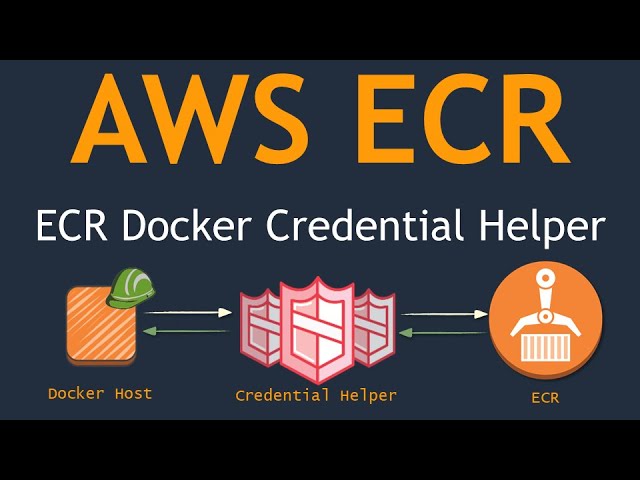
1. Issue
AWS ECR authentication tokens are valid for 12 hours. After expiration, you need to re-execute docker login or aws ecr get-login-password.
2. Solution
Use ECR Credential Helper to automatically call the AWS API to obtain the latest token when Docker pulls an image.
Applicable scenarios: Development machines, CI/CD, servers, and any environment with Docker.
3. IAM policy configuration
3.1 restrict specific repositories
The AWS managed policy AmazonEC2ContainerRegistryReadOnly authorizes all repositories (*). To restrict pulls to specific repositories, a custom policy must be created.
Policy Notes:
-
The
Resourceofecr:GetAuthorizationTokenmust be*(The token is for the entire Registry; single-repository tokens are not supported.) -
The
Resourcefor other operations can be restricted to a specific repository’s ARN.
{
    "Version": "2012-10-17",
    "Statement": [
        {
            "Sid": "AllowLogin",
            "Effect": "Allow",
            "Action": [
                "ecr:GetAuthorizationToken"
            ],
            "Resource": "*"
        },
        {
            "Sid": "AllowPullSpecificRepo",
            "Effect": "Allow",
            "Action": [
                "ecr:BatchCheckLayerAvailability",
                "ecr:GetDownloadUrlForLayer",
                "ecr:BatchGetImage",
                "ecr:DescribeRepositories",
                "ecr:ListImages",
                "ecr:DescribeImages"
            ],
            "Resource": [
                "arn:aws:ecr:REGION:ACCOUNT_ID:repository/NAMESPACE/*"
            ]
        }
    ]
}
Note: The above strategy allows you to pull all images under NAMESPACE/*.
4. Configure Credential Helper
4.1 Installation
Depending on your operating system, refer to the official installation guide on GitHub for installation.
4.2 Configure Docker
Edit or create ~/.docker/config.json:
{
    "credsStore": "ecr-login"
}
Or use Credential Helper only for ECR (recommended):
{
    "credHelpers": {
        "ACCOUNT_ID.dkr.ecr.REGION.amazonaws.com": "ecr-login"
    }
}
Notes:
credsStore: Uses this Credential Helper globally.credHelpers: Use only for a specific Registry (recommended, does not affect other image registry).
4.3 Configure AWS credentials
# Method 1: Configure via AWS CLI
aws configure

# Method 2: Use environment variables
export AWS_ACCESS_KEY_ID=YOUR_ACCESS_KEY
export AWS_SECRET_ACCESS_KEY=YOUR_SECRET_KEY
export AWS_DEFAULT_REGION=REGION
5. Verify
5.1 Test Credential Helper
# Test if Credential Helper is working
echo "ACCOUNT_ID.dkr.ecr.REGION.amazonaws.com" | docker-credential-ecr-login get
Success will return a result similar to:
{
    "ServerURL": "ACCOUNT_ID.dkr.ecr.REGION.amazonaws.com",
    "Username": "AWS",
    "Secret": "eyJwYXlsb2FkIjoiQ..."
}
5.2 Pull Image
docker pull ACCOUNT_ID.dkr.ecr.REGION.amazonaws.com/NAMESPACE/REPO-NAME:latestOnce configured correctly, pulling images does not require manual docker login.
6. FAQ
Error:no basic auth credentials
- Check the
~/.docker/config.jsonconfiguration - Run
aws ecr get-login-password --region REGIONto verify AWS credentials - Check if the IAM policy includes
ecr:GetAuthorizationToken
Error:denied: User is not authorized
- Check if the IAM policy includes permissions such as
ecr:BatchGetImage - Verify that the repository ARN is correct
Manual login is still required
- Confirm that
~/.docker/config.jsonis configured correctly - Restart Docker
Comments